Ever feel uneasy knowing your smart TV, thermostat, and laptop are all connected and vulnerable? That’s the digital world we live in, where a single oversight could open up your home to threats. I’ve spent years tracking digital innovations and those sneaky security threats that evolve alongside them.
You need a secure home network. Not just for peace of mind, but to actually protect your space.
I’m not about to drown you in tech jargon. I promise, you’ll get straightforward, actionable steps. Does securing your home network feel overwhelming?
It shouldn’t. The goal here is simple: transform your setup from a potential liability into a digital fortress. Trust me, by the end of this, you’ll know exactly how to lock down your digital life, safely and effectively.
Wi-Fi Woes: The False Sense of Security
Think your strong Wi-Fi password is enough? Think again. Sure, a strong password keeps a few nosy neighbors out, but it’s like locking the front door and leaving all the windows open.
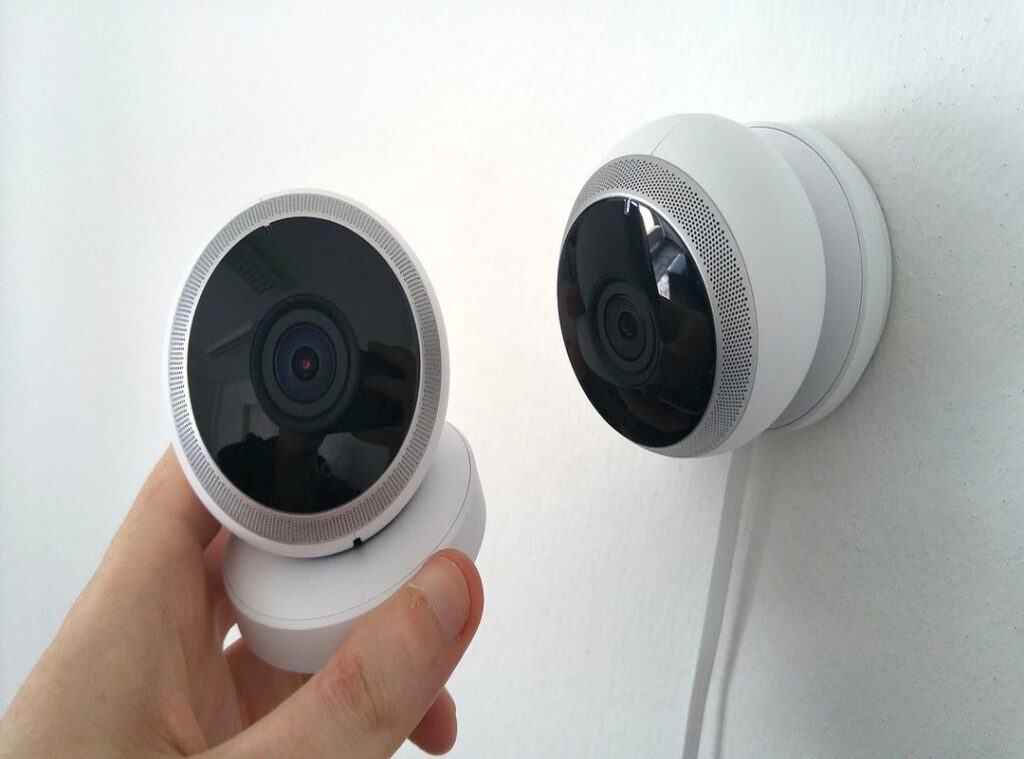
Today’s threats are sneaky. You know those cool smart devices you’ve got? Like the camera that watches over your porch or the baby monitor in the nursery?
They’re not always as secure as you think. Hackers can hijack these Internet of Things (IoT) devices as easily as if they found a key under your mat.
Then there’s your router. Many folks never change the default settings and passwords. It’s like leaving a welcome sign for hackers.
They exploit these vulnerabilities to access your secure home network and everything connected to it.
Have you heard of phishing? It’s more than just those sketchy emails claiming you’ve won a lottery. Today’s phishing attacks target families, pretending to be Netflix or Amazon to trick you into giving away passwords.
It’s not just about you anymore; your entire household is at risk.
Here’s the kicker: a secure home network isn’t just about keeping the Wi-Fi password a secret. It involves understanding and securing each piece of tech you own. Realizing this is your “aha!” moment.
Want to create a smarter, safer digital environment? Think beyond your Wi-Fi. Consider exploring ideas on Creating Smart Office Space Home for a more secure setup.
Pro tip: Change default passwords immediately and update your devices regularly. It’s a small step to a big difference in security.
Your Router: The Digital Front Door
Think of your Wi-Fi router as the digital front door to your home. It’s the first line of defense against cyber intruders. You’d lock your front door, right?
So, let’s make sure your router isn’t wide open. Securing this is the most key step for a secure home network.
First, change those default login credentials. I’m talking about the admin password, not your Wi-Fi password. They’re different.
Leaving it as ‘admin/password’ is like leaving a key under the mat. Hackers know this trick. Take a moment to set something unique.
Next, let’s talk about your Wi-Fi password. It needs to be strong, like a good cup of coffee. Use a mix of letters, numbers, and symbols.
And please, no birthdays or pet names. A password manager can help you remember it all without losing your mind.
Then there’s WPA3 encryption. Heard of it? It’s the latest security standard and way better than WPA2.
You’ll find this setting in your router’s admin page. It’s like upgrading from a lock to a deadbolt. Check your manual if you’re lost.
Firmware updates are as key as keeping your phone apps updated. They patch security holes that manufacturers discover. Ignore these at your peril.
Make it a habit to check for updates regularly.
Lastly, disable WPS (Wi-Fi Protected Setup). It sounds convenient, but it’s a known vulnerability. Think of it as a door that doesn’t quite latch.
Turn it off in your router settings to keep things tight.
Want more on this? Check out how to secure your home network. It’s packed with tips to keep you safe.
Pro tip: Set a calendar reminder to review these settings every few months. It’s a small step for your peace of mind.
Smart Moves: Mastering Your Device Network
Shifting focus from your central router to the devices connected to it is a smart move (pun intended). Why? Because every single device is a potential entry point for hackers.

You don’t want your smart fridge tattling on you, do you? That’s why I love the idea of a “Guest Network.” It’s a separate network for visitors and untrusted smart devices, keeping them away from your main computers and files. It’s like giving them their own little playpen.
Now, to some practical tips. Vet Your Smart Devices. Always buy from reputable brands known for regular security updates. You wouldn’t trust just anyone with your data, right? So why trust a random smart bulb?
These brands are about as trustworthy as a pop-up ad promising free iPhones.
Another key habit? Change default passwords on EVERYTHING. Honestly, every new smart bulb, plug, or camera comes with a default password.
Change it immediately. It’s security 101. It’s like locking your front door.
You wouldn’t leave it wide open, so why do it with your network?
Also, be smart about software updates. Let automatic updates on phones, computers, and even smart TVs. These updates usually include security patches.
You don’t want to be the last one to know about a vulnerability. If you’re looking to how to improve wifi speed, keeping devices updated is a step in the right direction.
Finally, review app permissions. Mobile apps can sneakily snoop on network traffic. Limit their permissions.
This isn’t about being paranoid; it’s about being aware. After all, a secure home network means understanding what your devices are up to.
Being proactive about these habits will save you headaches down the line. Trust me, a secure home network is worth the effort. You’ll thank yourself later.
Level Up: Easy, Advanced Tactics for Peace of Mind
Ever thought about making your secure home network a fortress without needing a PhD in computer science? Let’s talk DNS Filtering. Think of it like parental controls for the entire internet.
It blocks nasty websites and annoying ads for every gadget under your roof. Cloudflare’s 1.1.1.1 for Families or OpenDNS are great, user-friendly choices. You set it up once, and boom.
Peace of mind (and a lot less sketchy pop-ups).
Now, VPNs. Heard of them? You probably have.
Here’s a twist: put one right in your router. Why? Encrypted traffic leaves your house, shielding you from prying eyes, even your ISP.
It’s like hiding in plain sight. Sounds fancy, but it often just means flipping a switch in your router’s settings. Seriously.
And yes, these steps might sound tech-heavy, but trust me. They’re not. A few clicks, and you’re golden.
Pro tip: Keep your router firmware updated. It’s like brushing your teeth. Preventive care matters.
Does this make sense? It’s about leveling up your internet game with simple, strategic moves. Because who wouldn’t want a fortress-like home network without breaking a sweat?
Take Control of Your Digital Fortress
Building a secure home network isn’t a sprint. It’s a marathon. You know the risks.
You know your router is the nerve center. The smart habits come next. It’s not one-and-done, though.
It’s continuous vigilance. But don’t panic. Start small.
Log into your router today. Change that admin password. That’s how you begin.
Secure your digital life. It’s on you. You’re capable.
You’re in control. Ready to take the first step? Dive into your router settings now.
 Smart Technology & User Experience Specialist
There is a specific skill involved in explaining something clearly — one that is completely separate from actually knowing the subject. Daryl Thompsonigel has both. They has spent years working with digital innovations and concepts in a hands-on capacity, and an equal amount of time figuring out how to translate that experience into writing that people with different backgrounds can actually absorb and use.
Daryl tends to approach complex subjects — Digital Innovations and Concepts, Interactive Tech Setup Guides, Knowledge Vault being good examples — by starting with what the reader already knows, then building outward from there rather than dropping them in the deep end. It sounds like a small thing. In practice it makes a significant difference in whether someone finishes the article or abandons it halfway through. They is also good at knowing when to stop — a surprisingly underrated skill. Some writers bury useful information under so many caveats and qualifications that the point disappears. Daryl knows where the point is and gets there without too many detours.
The practical effect of all this is that people who read Daryl's work tend to come away actually capable of doing something with it. Not just vaguely informed — actually capable. For a writer working in digital innovations and concepts, that is probably the best possible outcome, and it's the standard Daryl holds they's own work to.
Smart Technology & User Experience Specialist
There is a specific skill involved in explaining something clearly — one that is completely separate from actually knowing the subject. Daryl Thompsonigel has both. They has spent years working with digital innovations and concepts in a hands-on capacity, and an equal amount of time figuring out how to translate that experience into writing that people with different backgrounds can actually absorb and use.
Daryl tends to approach complex subjects — Digital Innovations and Concepts, Interactive Tech Setup Guides, Knowledge Vault being good examples — by starting with what the reader already knows, then building outward from there rather than dropping them in the deep end. It sounds like a small thing. In practice it makes a significant difference in whether someone finishes the article or abandons it halfway through. They is also good at knowing when to stop — a surprisingly underrated skill. Some writers bury useful information under so many caveats and qualifications that the point disappears. Daryl knows where the point is and gets there without too many detours.
The practical effect of all this is that people who read Daryl's work tend to come away actually capable of doing something with it. Not just vaguely informed — actually capable. For a writer working in digital innovations and concepts, that is probably the best possible outcome, and it's the standard Daryl holds they's own work to.