
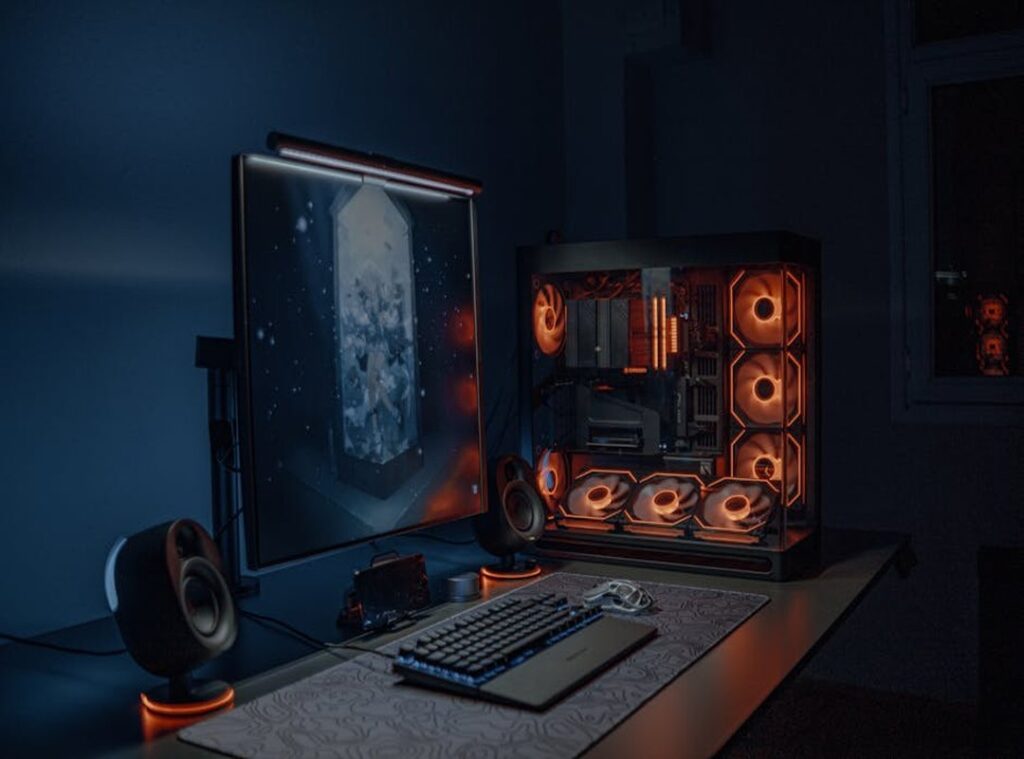
Ever shelled out big bucks for a pre-built gaming PC only to watch it stutter on your favorite game? I’ve been there, and it sucks. It’s not just about performance; it’s about having a setup that feels like yours.
The problem? Navigating the mess of PC components can be overwhelming. I’ve done the deep dive into builds and benchmarks, so you don’t have to.
I’m here to show you that a custom gaming PC isn’t a dream (it’s) within reach. This guide will break down each step, making your gaming rig truly personal and perfectly tuned to your needs.
Why Go Custom? The Real Perks of a Personalized Rig
Building a custom gaming PC isn’t just about aesthetics, although let’s be honest, it looks cool. It’s about performance that’s actually tailored to you. You get to pick components that matter for what you play.
Love plan games? Invest in a solid CPU. Prefer visual spectacles?
Go for a beefy GPU. You cut the bloatware and focus on what counts.
Now, let’s talk money. A custom build is a smarter investment. You’re not wasting cash on bundled parts you don’t need.
You get a quality motherboard and power supply, making future upgrades cheaper and easier. Who doesn’t want that? It’s about future-proofing, not just for now but for when the next big game drops.
Then there’s the ownership experience. Ever feel that rush when you fire up your rig and it’s all yours, from the internal components to the RGB glow on your desk? It’s like having a machine that mirrors your gaming identity.
It’s about pride and satisfaction.
And hey, if you’re setting up a secure home network, that’s another layer of personalization you control. For more on that, check this setting up secure home network guide. Building your own PC?
It’s about making it yours.
Game On: Personalize Your Build for Maximum Performance
Building a custom gaming PC is like crafting your own character in a game. You want the right parts to fit your style, not just the highest numbers. a gaming profile analysis comes in handy. Let’s break it down.
The CPU is the brains of your PC. Simple, right? But here’s where it gets interesting.
For games like CS:GO or Valorant, single-core performance is your best friend. Those games love high clock speeds. If you’re into streaming or playing AAA titles, more cores are better.
Why? Because multitasking becomes a breeze. No one wants lag when they’re about to win.
Now, the GPU. This is the visual powerhouse of your rig. It’s the one part you don’t want to skimp on.
If you’re gaming at 1080p with high refresh rates, a mid-range card will do the trick. But if you’re dreaming of 4K with ray-tracing? You’ll need to splash out for a top-tier GPU.
It’s worth every penny when you see those graphics pop.
RAM and storage are your next stops. Don’t overthink it. 16GB of RAM is the sweet spot for most gamers today. It’s enough to keep everything running smoothly without breaking the bank.
And storage? An NVMe SSD can change the game for you. Loading times are cut down drastically compared to a traditional hard drive.
No more waiting around.
Picking parts isn’t just about performance. It’s about how they match your gaming habits. Want to build a custom gaming PC that fits you like a glove?
Think about what games you play and how you play them.
Pro tip: Keep an eye on the latest tech trends. They can offer takeaways into what might be a great addition to your build. Sometimes, a little tweak here or there can make all the difference.
In the end, it’s about creating a setup that enhances your gaming experience. Not just chasing the biggest numbers. Build smart, play hard.
Step 2: Personalize for Vibe – Crafting Your Aesthetic
Shift your gaze from performance for a moment and dive into the world of aesthetics. We’re talking about the physical look and feel of your setup. It’s more than just a pretty face (or case)!

When choosing a chassis for your custom gaming PC, think of it as finding the right outfit for a night out. It can be sleek and minimalist, adorned with RGB-focused glass panels, or compact for those tight spaces. Airflow is the unsung hero here.
Sure, it’s less flashy, but neglect it and you’ll be staring at a furnace instead of a gaming powerhouse. It’s key!
Lighting can transform your gaming den from drab to fab. You’ve got software like Corsair iCUE or SignalRGB that sync up everything. Imagine your components, case, and peripherals singing in harmony.
It’s like conducting your own light show. Why wouldn’t you want your tech to groove in sync?
Next, consider cables and cooling. You can’t just throw some wires together and call it a day. Custom cable sleeves are a game-changer.
They shift a build’s look from “I just made this” to “professional rig.” Cooling isn’t just about keeping your machine alive. It’s also about making it look killer (pun intended). AIO liquid coolers or custom air coolers can double as visual centerpieces, adding that extra flair to your setup.
Oh, and speaking of necessities, ever wondered how to improve your gaming environment? Dive into Keepho5ll’s How To Improve Wifi Speed. Having fast, reliable internet can make your lively setup even more fulfilling.
In the end, crafting a custom gaming PC isn’t just about power. It’s about vibe. It’s about creating a space that feels like you.
One that’s ready to take on any boss fight you throw its way. So why not make it a masterpiece?
Choose Your Own Adventure: Building the Perfect PC
So, you’re ready to dive into the world of custom gaming PCs. But how do you start? Three paths lie before you: DIY, Boutique Builders, or Upgrading a Pre-Built.
Let’s break it down.
First, the DIY route. Building your own PC is like cooking from scratch. It’s cost-effective and lets you customize every little part.
You want that neon glow? You got it. But it takes time and patience.
Plus, when things go wrong, you’re the tech support. (Ever tried Googling your way out of a PC problem at 3 AM?)
Then there are Boutique Builders. Think of them as the PC concierges. They assemble everything for you, managing cables like artists.
You get warranties and support, but it comes at a price. More expensive than DIY, but hey, you’re paying for expertise and peace of mind. Worth it if you value time over tinkering.
Finally, the hybrid approach: upgrading a pre-built. It’s less intimidating and a good entry point. But beware.
You might hit a wall with the power supply or motherboard limits. Sometimes, it ends up costing more than you expected as you swap parts.
Which path will you choose for your custom gaming PC?
Your Rig, Your Rules
Tired of off-the-shelf PCs that never quite hit the mark? Yeah, me too. The problem with those generic machines is they’re designed for everyone and no one at the same time.
Instead, imagine a custom gaming PC that fits your playstyle like a glove. It’s not just about performance; it’s about crafting something uniquely yours. The roadmap is clear.
Start by asking yourself: What do you need? What’s your budget? Once you nail those down, you’re miles ahead in building something truly epic.
Ready to take control? Define your playstyle and get started on your dream setup now.
 Smart Technology & User Experience Specialist
There is a specific skill involved in explaining something clearly — one that is completely separate from actually knowing the subject. Daryl Thompsonigel has both. They has spent years working with digital innovations and concepts in a hands-on capacity, and an equal amount of time figuring out how to translate that experience into writing that people with different backgrounds can actually absorb and use.
Daryl tends to approach complex subjects — Digital Innovations and Concepts, Interactive Tech Setup Guides, Knowledge Vault being good examples — by starting with what the reader already knows, then building outward from there rather than dropping them in the deep end. It sounds like a small thing. In practice it makes a significant difference in whether someone finishes the article or abandons it halfway through. They is also good at knowing when to stop — a surprisingly underrated skill. Some writers bury useful information under so many caveats and qualifications that the point disappears. Daryl knows where the point is and gets there without too many detours.
The practical effect of all this is that people who read Daryl's work tend to come away actually capable of doing something with it. Not just vaguely informed — actually capable. For a writer working in digital innovations and concepts, that is probably the best possible outcome, and it's the standard Daryl holds they's own work to.
Smart Technology & User Experience Specialist
There is a specific skill involved in explaining something clearly — one that is completely separate from actually knowing the subject. Daryl Thompsonigel has both. They has spent years working with digital innovations and concepts in a hands-on capacity, and an equal amount of time figuring out how to translate that experience into writing that people with different backgrounds can actually absorb and use.
Daryl tends to approach complex subjects — Digital Innovations and Concepts, Interactive Tech Setup Guides, Knowledge Vault being good examples — by starting with what the reader already knows, then building outward from there rather than dropping them in the deep end. It sounds like a small thing. In practice it makes a significant difference in whether someone finishes the article or abandons it halfway through. They is also good at knowing when to stop — a surprisingly underrated skill. Some writers bury useful information under so many caveats and qualifications that the point disappears. Daryl knows where the point is and gets there without too many detours.
The practical effect of all this is that people who read Daryl's work tend to come away actually capable of doing something with it. Not just vaguely informed — actually capable. For a writer working in digital innovations and concepts, that is probably the best possible outcome, and it's the standard Daryl holds they's own work to.